
How to follow up on a pending directory submission
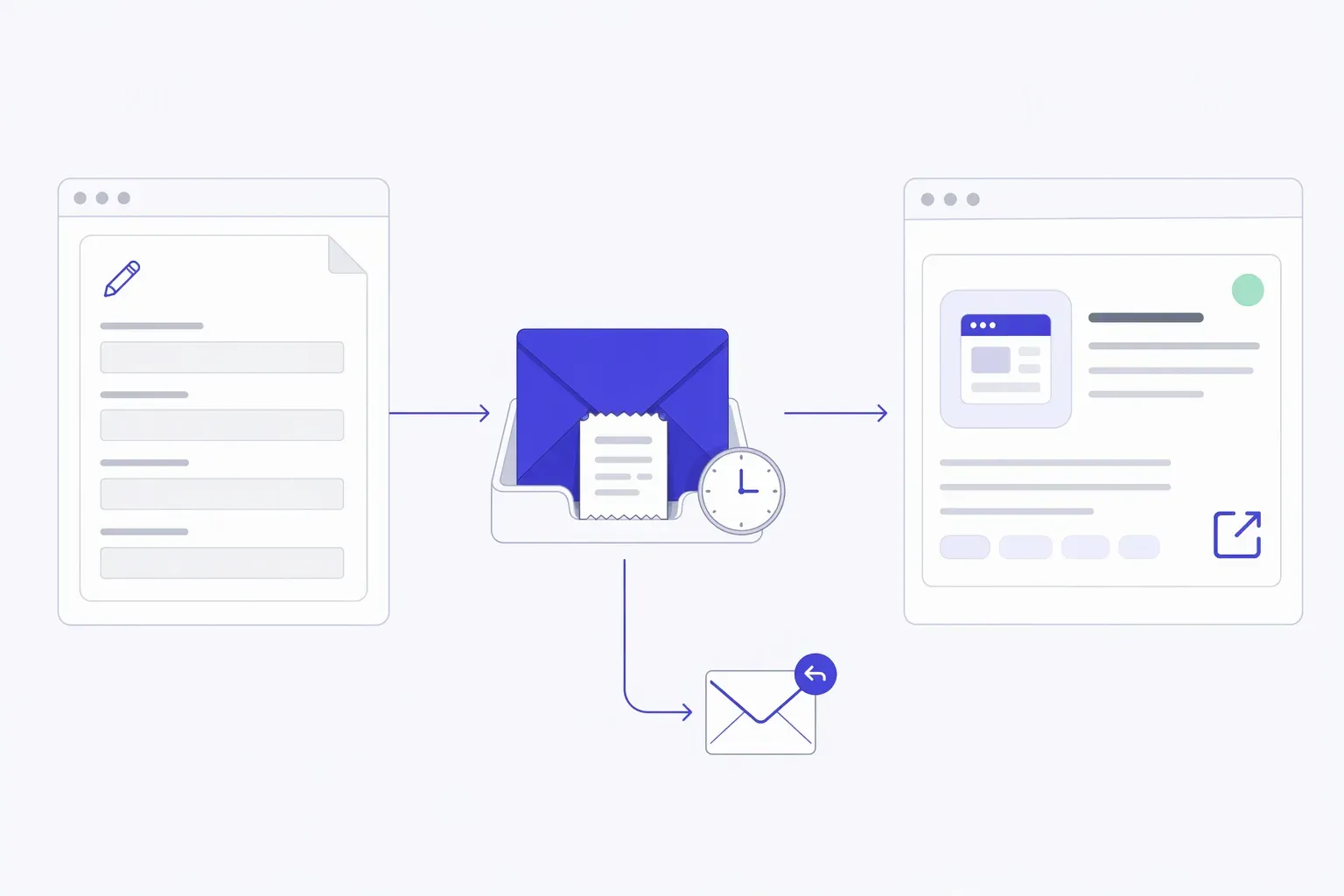
To follow up on a pending directory submission, first check that the directory received your request and that the listing isn’t already public. Use the directory’s stated review window to decide when to ask for an update. Send one short message with your product name, submission date and reference, rather than submitting the same product again.
Is your directory submission pending, or still a draft?
A pending directory submission is a request awaiting a decision, not proof of approval or publication. A saved draft or preview may never have reached the review queue. Before asking why a listing hasn’t appeared, identify the last step you can actually confirm.
| What you can see | What it tells you | Next action |
|---|---|---|
| Saved fields, a preview or an unsent email | You prepared the request; receipt isn’t established | Return to the submission instructions and check the final send step |
| An error after pressing submit | Successful receipt is uncertain | Check for a saved request or confirmation; ask support if the result remains unclear |
| A confirmation, request reference or submitted status | The directory reports receiving the request | Record the evidence and check its review guidance |
| An approval message without a public page | Approval may be separate from publication | Look for a scheduled date or ask for the public listing URL |
| A public product page | The listing is live | Check its details and website link instead of asking for review status |
Don’t assume every directory uses these exact labels. This directory-status guide describes pending and live as separate stages; the destination’s own dashboard and instructions determine what its status means.
Search the directory for your product name and website before sending a message. Check your inbox and spam folder for a receipt or request for changes. If you submitted through an account, use that same account to inspect the request.
When should you follow up on a directory submission?
Follow up after the directory’s published review window has passed, using its preferred support channel. If it gives a scheduled publication date, check against that date instead. When no window is stated, set a personal reminder for one status check; don’t treat an arbitrary number of days as the directory’s promise.
Record the wording and where you found it. “Five business days” is not the same as five calendar days, and a paid submission service’s processing time may not be the receiving directory’s review time.
If there’s no stated window, you could choose a reminder two working weeks after submission. That’s an organisational rule of thumb, not an estimate of how long review takes. At the reminder, check the public catalogue and request status before deciding whether an email is needed.
A broken website or incorrect access claim is different from routine waiting. If your submitted details have become inaccurate, use the correction channel promptly and identify the change. Don’t leave a reviewer testing a link you know no longer works.
Use this directory submission follow-up email
Keep the request identifiable and ask one question. Reply in the original thread when there is one, or use the directory’s listed support route. Put the reference in the message, not a password, login code or private customer data.
Subject: Status of [Product name] listing request — [Reference, if provided]
Hi [Directory name] team,
I submitted [Product name] on [Date] using [Submission email or account]. The request reference is [Reference, if provided], and the product website is [Website].
[Choose one: “The stated review window has passed, so I’m checking the request’s status.” Or: “I couldn’t find a review window, so I’m checking whether the request is awaiting review or needs anything from me.”]
Could you confirm the current status and whether you need any changes to the details?
Thanks, [Name and relationship to the product]
Delete the bracketed instructions and any field you don’t have. Don’t paste your entire launch pitch underneath: the reviewer needs to locate a request, not evaluate a new marketing email.
Fictional example: Mira submitted PatchNote, a tool that turns merged pull requests into draft release notes, through a directory form. She kept reference PN-104 and a screenshot of the receipt. Her follow-up identifies PatchNote, the date, the reference and her founder role, then asks whether anything needs changing. She doesn’t claim that the silence means rejection or create a second request.
If Mira had only saved a preview, she would check the final submission step first. If pressing submit had produced an error with no clear result, her question would be “Was this request received?” rather than “Why haven’t you approved it?”
What to do after a reply—or continued silence
Let the response determine the next action:
- More details needed: answer the specific request in the same thread. Identify which description, link or permission statement you’re replacing.
- Still awaiting review: record the update and any stated next check date. Don’t turn one follow-up into a daily sequence.
- Not accepted: read the reason. Correct and resubmit only if the directory allows it; a poor audience fit may be a reason to choose another destination.
- Published: save the public URL, read the listing as a visitor and test the website link. Approval alone doesn’t establish useful referral traffic; use the directory referral measurement guide for that separate question.
- No reply: mark the request “status unknown” rather than “rejected” or “live.” Keep the evidence and put your time into other relevant destinations. If you paid for a specific service, consult its delivery and support terms rather than assuming a free review queue’s rules apply.
A small tracking row is enough: directory, product, submitted date, receipt or reference, stated window and source, last check, public URL, and next action. Keep private references and contact details out of any public launch tracker.
For future submissions, the startup directory submission checklist helps you prepare accurate details and confirm what actually sends the request.
Checking a LaunchNest request
LaunchNest accepts free software listing requests and manually reviews them before publication; there’s no promised review deadline. For an existing request, contact launchnest@brainer.one with your product name, submission date and reference if you have one. We may check your authority before acting on a status or correction request.
If you haven’t sent a request yet, prepare your product details. A preview or account creation alone does not send them for review.